


If you’re working with an AI Video Generator, you already know how fast it can turn raw ideas into polished clips.
The hard part about video now is not making it‚ but making it interesting‚ on brand‚ and following what people want to watch․
Luckily‚ as you comb through the current landscape of content‚ the top videos on “AI video” follow the same formula․
They’re structured‚ practical‚ and are typically titled “ways to improve” or “ways to use” AI-driven video․
This article will be structured likewise‚ with a high-level overview that anyone can plug right into their workflow․
Why the “ways to improve” format matters for AI video
Best practices for AI video become much more useful when the post is less theoretical and instead a box of tools․
For example‚ numbered lists including “10 ways to improve AI video” indicate actionable takeaways to make the post more useful․
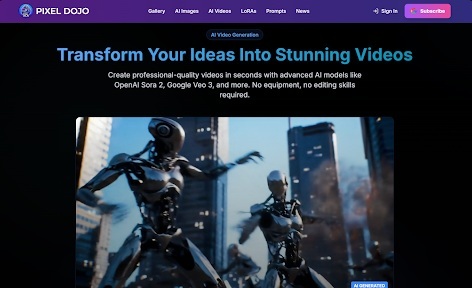
This is also how an AI Video Generator works: it works best when it has clear constraints‚ defined segments‚ and step-by-step instructions․
When your article flows in the same way‚ it feels like a natural extension of the very tools people are using․
1. Start with format, not visuals
One of the biggest mistakes to avoid is jumping into your style prompts without a video format․
Always think of whether you are making a tight listicle‚ a 30-second tip reel‚ a micro-tutorial‚ or a product explainer before hopping onto an AI Video Generator․
This also allows your AI Video Generator to generate cohesive‚ in-context clips based on a script length‚ shot length‚ pace‚ and text over so that your videos don’t look like a random assortment of clips․
2. Script for both the scroll and the search
Most AI videos are consumed on mobile in scrollable feeds․
Start the script for the scroll: use short sentences‚ front-load the hook‚ and keep lines visually distinct․
Then optimize it for search‚ like using the phrases “AI video‚” “AI video generator” or “AI-driven video content” in the script and the voiceover of the video as naturally as possible so that it’ll be in the transcripts‚ closed captions‚ and other metadata to help your videos get in front of people already looking for this kind of content․
3. Use list‑style prompts for list‑style videos
If you’re writing a piece like “10 ways to improve AI video,” feed that structure directly into your prompts.
For example:
- “Create a 60‑second video titled ‘10 Ways to Improve AI Video’ with 10 clear segments.”
- “Each segment should show one numbered tip, a short text overlay, and a matching visual.”
An AI Video Generator can then output a sequence where each tip is self‑contained and easy to edit, turning your article outline into a ready‑to‑use video script in one go.
4. Reverse‑engineer trending aesthetics
In successful AI videos‚ the cuts tend to be quick‚ rhythmic‚ and motion synced‚ with large bold text․
You should be thinking more in terms of rhythm than “realistic video”․
For example‚ “1-2 second scenes with motion synced zooms‚ bright‚ energetic‚ and large bold text in a clean sans-serif” is a good prompt․
By training your AI Video Generator on these aesthetics‚ you can make your AI outputs feel more intentional‚ and help the model nail formats that work․
5. Batch‑generate variations, then refine by hand
Don’t use your AI Video Generator just once: think of it as a variation engine where you create a few short videos‚ with slight differences in scope‚ text placement‚ or speed‚ and pick the one that resonates with you the most․
For a “10 ways” post‚ it means 10 to 15 versions of the video for each tip to find the best‚ stitching the best together․
This keeps the automation component but also keeps the human judgment that makes it feel on-brand․
6. Build a reusable visual style library
Strong AI video content feels consistent, not random.
Once you land on a look you like, color palette, font style, transition rhythm, save that as a reusable style brief and plug it into your prompts.
For example:
- “Use cool blue tones, clean sans‑serif text, and rapid slide transitions.”
- “Keep the aspect ratio 9:16 and keep overlays in the top third of the frame.”
An AI Video Generator can then apply that style across multiple videos, creating a recognizable campaign feel even though each clip is produced separately.
7. Lean into emerging AI video niches
Certain AI video niches outpace others‚ e․g․ before/afters‚ AI-generated quizzes‚ room reveals‚ pets’ transformations‚ and experiments (historical figures as modern vloggers)․
In your “ways to improve” list‚ supplement these vanilla video tricks (e․g․ offloading a before/after to a slide‚ including mini-quizzes‚ cold opens‚ and emotional hooks like pets and nostalgia)․
Since these niches indicate viewer intent‚ you can also put this into your headings and voiceover to ride that momentum․
8. Pair AI video with structured copy
AI video is most impactful when its use is embedded within a broader content plan․
Think of your AI Video Generator as one tool in a content stack․
A written introduction (the initial paragraph or two)‚ a short AI-generated video‚ and a written postscript or call to action are all good formats for a video that’s a few minutes long․
They’re great for holding people’s attention‚ catering to people who learn better in text‚ and giving search engines more text for connecting your video to relevant queries․
Pixel Dojo is one of several examples of such a hybrid approach‚ in which AI video is integrated with text rather than being treated as a stand-alone gimmick․
9. Optimize for retention, not just generation speed
While the AI Video Generator tools can create dozens of videos in minutes‚ the metric of success is view duration or actions․
After developing a group of edits‚ consider tools such as view duration‚ points of exit‚ and whether viewers are clicking through in the embed to gauge success․
Then‚ feed those results back into your prompts․
If a high percentage of people drop off before the 3-second mark‚ add more movement‚ louder text cues‚ or a stronger hook in the first frame․
This then forms a closed-loop‚ allowing you to constantly improve and speed up your AI process while driving engagement․
10. Tie AI video to broader content trends
AI video is also part of a wave of tools designed to enable automation in multi-format content creation․
There are already tools available to automate transforming blog posts into video‚ voiceover, and captions using the same ecosystem as your AI Video Generator․
For example‚ if you’re writing a blog post about “how to use AI video”‚ consider changing the title to “how AI video fits into the future of content creation”․
It adds more credibility to your article․ It also gives your audience an understanding of why they should not only invest in it today‚ but also consider it a fundamental part of their strategy․
 The Essential Tools That Keep Garden Centers Running Smoothly
 ESPAS & Steinehelden Use Descartes’ Solution to Optimize Ecommerce Productivity by 500%
 TruTac in the driving seat with new Integrated Compliance Control for CV Show 2019
 Onfido launches Compliance Suite to simplify local & global identity verification
 Toyota ransomware attack shows that businesses need a cyber re-think
 Why Fuel Efficiency is Critical in Mining Fleet Management & How to Improve It