

Forty-one percent of companies lose more than five percent of new hires because poor onboarding sends them packing. When every early exit drags down productivity and morale, learning can’t feel like a chore.
The remedy is simple: give newcomers an LMS that feels intuitive from the first click. A clean dashboard lets them locate a course, press play, and learn—no help-desk ticket required. But which platforms truly deliver?
We tested eight contenders, rating speed to launch, user experience, and onboarding muscle. Up next, you’ll see how each one ranks—and the trade-offs to keep in mind.
Methodology and evaluation criteria
We built an inclusion filter first. Each platform had to focus on employee onboarding, provide a mobile-friendly learner view, and sell to U.S. buyers with either clear pricing or a no-risk trial. Any tool that required on-premises installs or served only academia was cut.
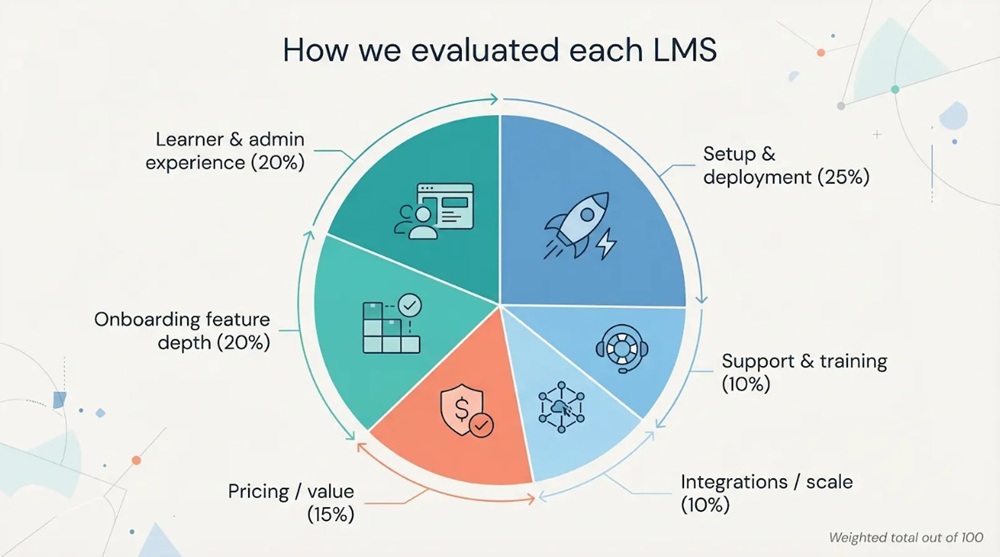
Next we scored the survivors against six weighted factors that matter most during week one:
- Ease of setup and deployment (25 percent)
- Learner and admin experience (20 percent)
- Onboarding feature depth (20 percent)
- Pricing transparency and value (15 percent)
- Integrations and scalability (10 percent)
- Vendor support and training (10 percent)
If the interface isn’t intuitive, new hires stall before they start. BuildEmpire’s onboarding specialists even call an easy dashboard “essential” for early confidence.
We pulled data from vendor docs, live demos, and fresh user reviews on G2, Capterra, and eLearning Industry. Brandon Hall Group’s research added the business lens, confirming that 41 percent of firms still lose more than five percent of new hires due to weak onboarding.
Each LMS earned a 1–5 for every factor. We multiplied by the weights, summed to a maximum of 100, and ranked the eight platforms. You’ll see a snapshot right after the individual reviews.
TalentLMS tops eLearning Industry’s 2026 onboarding list with a 4.8 rating from more than 300 reviewers, which validates its high marks in our model.
Now, meet the contenders.
1. GoSkills: microlearning LMS
GoSkills keeps things breezy from the first click. The platform is cloud native, so there is no install and no IT hand-holding. Spin up an account, invite learners, and they start absorbing bite-sized courses before lunch. Implementation usually wraps in about one hour, a pace highlighted in The Easiest to Use LMS: Top Learning Management Systems for 2026 alongside G2 badges for “Easiest Setup” and “Easiest to Use”. That quick start is why it leads our list for setup and user experience.
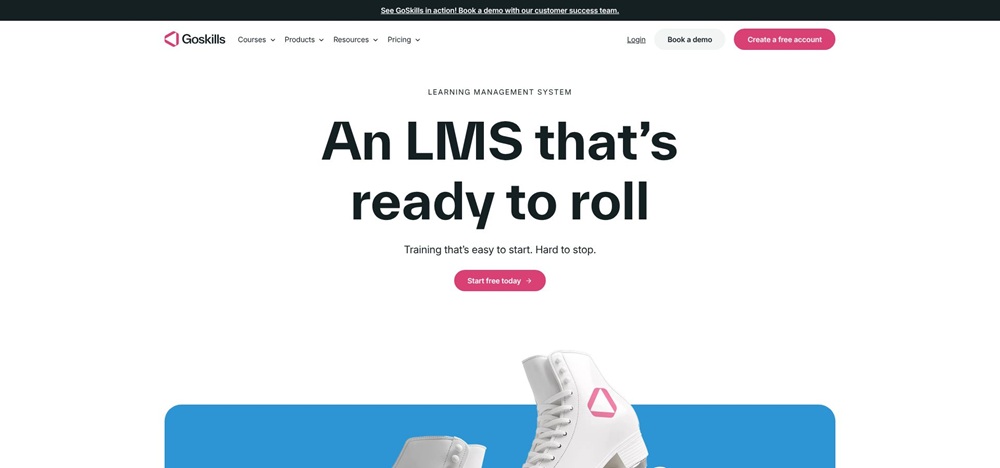
GoSkills LMS dashboard screenshot highlighting microlearning and fast setup
New hires land on a clean dashboard showing only today’s lessons. Microlearning modules run five minutes or less, so employees fit training between real work instead of postponing it. Automated learning paths load welcome videos, compliance items, and role skills in order. Managers see progress in real time, making check-ins feel supportive instead of supervisory.
GoSkills also speeds content creation. The built-in AI course builder turns an outline or slide deck into interactive lessons, quizzes, and badges. When you need something fresh, such as a new product walkthrough, you can create and publish it within the same afternoon.
Pricing favours small and growing teams. A forever-free tier lets you test with unlimited users, while the Business plan sits around ten dollars per person each month and includes unlimited courses plus advanced analytics. That clarity, paired with a lightweight approach, makes GoSkills popular with startups and agencies that prioritise speed over sprawling feature sets.
Trade-offs exist. You give up built-in webinar hosting and deep workflow automation. Yet for pure onboarding efficiency, GoSkills shows that sometimes less can be more.
2. TalentLMS: scalable trainer, instant launch
TalentLMS balances friendly design with room to grow. Sign up, pick a theme, and by the time a new hire finishes coffee the system is ready for a first course. The vendor claims the platform can be “live by end of day,” and user reviews back that promise with four-plus star ratings for ease of setup.
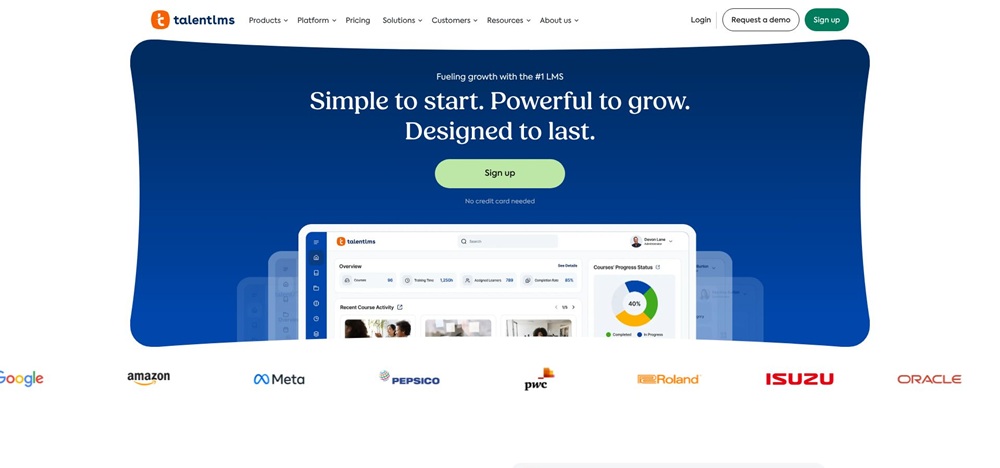
TalentLMS learner portal screenshot with gamified onboarding experience
The learner portal feels like a modern app: clean cards, progress rings, and a clear call to action. Automated rules assign content by job role or location, so no one wonders which module comes next. Gamification adds points and badges along the journey, turning routine compliance into a quick competition.
Its flexibility stands out. Multi-portal architecture lets HR create separate spaces for sales, support, or regional teams without juggling different accounts. Integrations are plentiful: Slack notifications, single sign-on, even Salesforce, so data moves instead of piling up.
Pricing is transparent. Start free with five users and ten courses, then move to a paid plan as the team scales. The largest public tier stays under five hundred dollars a month for up to a thousand learners, a sharp contrast to enterprise platforms that hide prices behind demo forms.
There are limits. Branching logic is basic, and deep analytics require exports. Yet for companies that need a tool employees can learn in minutes and management can expand across divisions, TalentLMS secures a top-three spot for style and substance.
3. LearnUpon: enterprise power, friendly feel
LearnUpon shows that a full-featured enterprise LMS does not have to feel like heavy machinery. The interface is bright, uncluttered, and quick to learn, so even first-time admins can build a role-based learning path without a cheat sheet.
Setup starts with a branded portal: one for sales, another for customer education, a third for partners. Each portal picks up your colours and logo yet shares a central course catalogue to avoid duplicate work. Automated rules push welcome packs, policy courses, and skill tracks to the right cohort the instant HR adds a new employee in the HRIS.
Learners get the same polish. Courses open in the browser or mobile app with progress bars and certificates that sync back to managers. Blended learning is native; you mix live webinars, self-paced modules, and surveys in a single path, then trigger reminders if someone stalls.
Integrations stand out. Connectors link to Salesforce, Microsoft Teams, and SSO providers so data and logins stay smooth. An API lets you send results to custom dashboards when your BI team needs deeper insight.
Premium polish comes at a price. LearnUpon does not publish list rates; annual contracts start in the mid-four-figure range. Small teams may hesitate, but mid-market and global firms value the multi-portal architecture and 24×7 support.
If you want enterprise muscle wrapped in an interface people enjoy using, LearnUpon offers the best of both worlds without burying newcomers under layers of configuration.
4. iSpring Learn: fast track for PowerPoint pros
If your training library already lives in PowerPoint, iSpring Learn feels like flipping a switch rather than migrating to a new platform. Upload a deck, hit convert, and you get an interactive course with quizzes, dialogue simulations, and mobile-ready HTML5 slides. That instant upgrade is why many HR teams choose iSpring when deadlines loom.
Setup mirrors the content flow. Administrators log in, create a learning path, and slot converted presentations alongside video or SCORM files. The system drip-feeds lessons, sends automatic reminders, and issues certificates on completion, so managers spend less time chasing checkmarks.
Learners appreciate the simplicity. They launch courses in a browser or the offline-capable mobile app, finish a module on the train, and sync progress once they reconnect. Dashboards let supervisors spot anyone slipping behind before orientation week ends.
Cost stays reasonable. A 30-day trial lets you test every feature, then pricing starts at a few dollars per active user each month, making iSpring one of the most budget-friendly options on this list.
There are trade-offs. Deep HRIS integrations sit in higher tiers, and you will not find built-in webinar hosting or AI content builders here. Still, for small to mid-size companies that need to turn existing slide decks into structured onboarding fast, iSpring Learn delivers a polished first-week experience.
5. Absorb LMS: enterprise polish, serious power
Absorb looks and feels like a consumer app while handling the scale and complexity large firms demand. Learners log in to a crisp dashboard that highlights next steps and hides clutter, giving quick confidence even to staff who shy away from new software.
From an admin seat, you shape learning paths with drag-and-drop ease. Automated enrolment sorts employees by department, location, or any HRIS field, so every hire receives the right compliance and role training without manual lists. Advanced analytics track completion, quiz scores, and time in course, then surface trends on a visual dashboard managers actually review.
Absorb’s integration catalogue is extensive: Salesforce, Workday, REST APIs, and single sign-on keep records in sync and reports flowing to BI tools. The platform even supports eCommerce, helpful if your organisation sells certification to partners or clients.
Pricing sits in enterprise territory. There is no free tier, and most deployments start with a custom quote that reflects user volume and optional modules like Mentor or Engage. Implementation often includes guided onboarding to fine-tune branding and data feeds, so budget time as well as dollars.
For companies that need an LMS that impresses executives and frontline staff alike, Absorb provides a rare mix of aesthetic finesse and heavy-duty capability. The trade-off is a higher entry cost and a slightly longer rollout, yet many large employers consider that a fair price for long-term flexibility.
6. iTacit: mobile-first for frontline teams
Frontline workers rarely sit at a desk, so training must travel to them. iTacit meets that need with a mobile app that feels more like Instagram than an LMS. New hires open their personalised feed, tap a five-minute safety video, earn points, and get back to the shift.
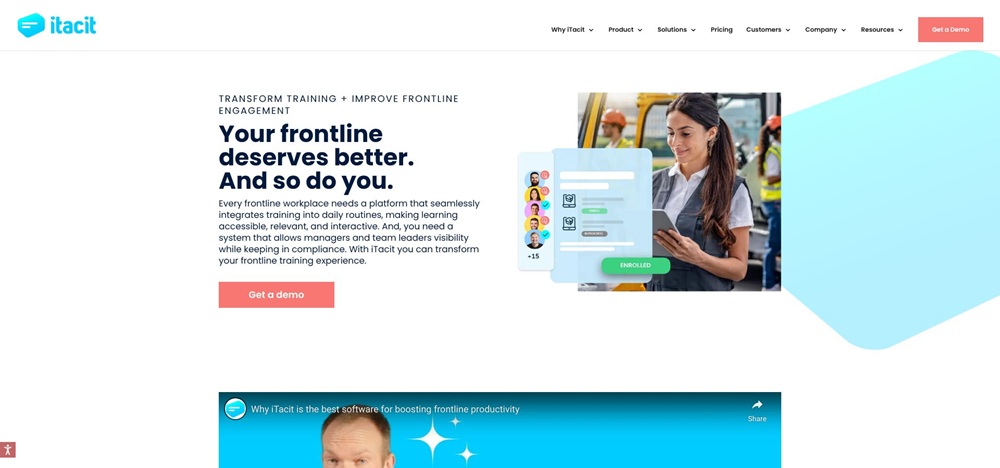
iTacit mobile LMS screenshot showing frontline-friendly training feed
Offline mode is the standout feature. Warehouses, clinics, and retail floors often lack stable Wi-Fi. iTacit lets learners download content at home, finish modules on break, then sync results once signal returns. Compliance managers still see real-time dashboards; employees keep learning without interruption.
Authoring stays light. Record a short clip or import a SCORM file, tag it to a role, and the system handles delivery and reminders. Checklists track tasks beyond the screen, such as uniform fitting or a workplace tour, so supervisors confirm every box before day three.
Pricing follows an enterprise quote model, and users say costs align with other large-scale platforms. Capability fit is the bigger question. iTacit excels at high-volume, phone-centric onboarding, but deeper analytics and third-party integrations remain basic. If most staff work on a keyboard, another LMS may serve better.
For organisations with thousands of deskless employees, iTacit turns onboarding from a back-office afterthought into a fingertip routine.
7. Softbook: all-in-one learning meets light CRM
Softbook targets growing companies tired of juggling separate tools for training, collaboration, and customer follow-up. The platform bundles an LMS, an internal social feed, and a lightweight CRM under one login, cutting the tab-hopping that drains focus during a hectic onboarding week.
Getting started is simple. Sign up, import a CSV of employees, and drop existing videos or PDFs into a drag-and-drop builder. Because Softbook imposes no learner cap, you can onboard the whole organisation, including temporary staff, without watching a meter. Automated email nudges keep new hires on schedule, and discussion threads under each lesson turn passive viewing into peer Q&A.
The built-in CRM surprises many users. Sales or support reps can log calls and customer notes in the same place they complete product-knowledge modules. That context helps managers tie learning progress to pipeline movement, creating a feedback loop between training and real-world results.
Softbook offers a free starter tier for small teams, then a flat monthly rate that scales by feature set rather than by seat. The trade-off is depth: you will not find advanced analytics, LTI integrations, or extensive branding controls. Enterprises that need granular insight may prefer another option on this list.
If you want a straightforward hub where learning, communication, and light customer tracking live side by side, Softbook proves that fewer tools can deliver more impact.
8. Docebo: AI-driven personalisation at scale
Docebo combines a familiar LMS core with adaptive learning smarts. Its AI engine tracks what employees finish and recommends fresh content, peer videos, or quick quizzes that deepen understanding. New hires feel like the system understands them from week one, and engagement stays high after orientation.
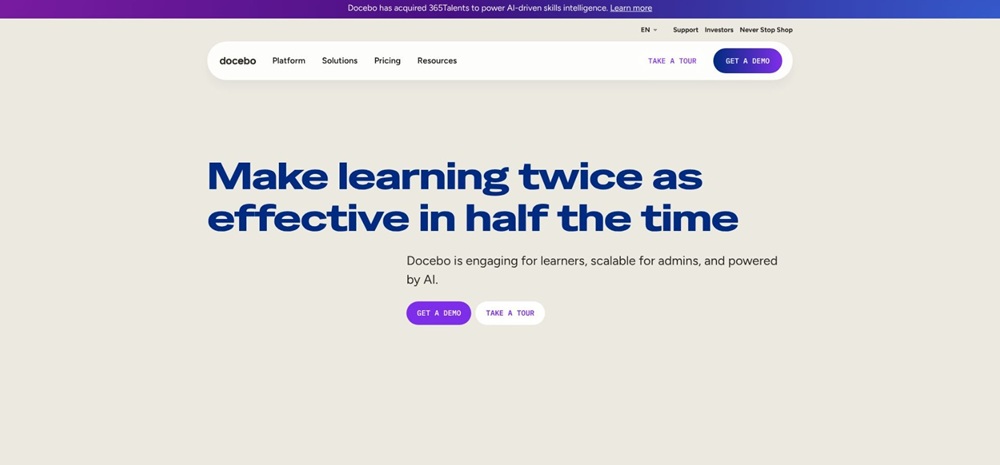
Docebo LMS screenshot featuring AI-driven personalized learning recommendations
Admins enjoy a balance of automation and control. Set broad paths for each role, and the Discover, Coach, Share module fills gaps with curated articles or mentor clips. Social tools let seasoned staff record quick how-tos, so hallway wisdom turns into searchable training.
The built-in marketplace adds value. Need a compliance refresher or an Excel shortcut course? Browse, licence, and push it to learners in minutes, with no need to build from scratch.
Depth brings complexity. Configuring catalogues, branding portals, and AI rules takes planning. Pricing starts near three dollars per active user each month but rises when you add advanced modules. Enterprises absorb that cost for global scale, while smaller teams should confirm they will use the extra features.
If you want personalised onboarding that grows into continuous learning, Docebo stands out as a smart choice once you are ready to steer its power.
Side-by-side scores at a glance
You have just met each contender up close. The chart below converts those stories into numbers so your decision feels data driven rather than subjective.
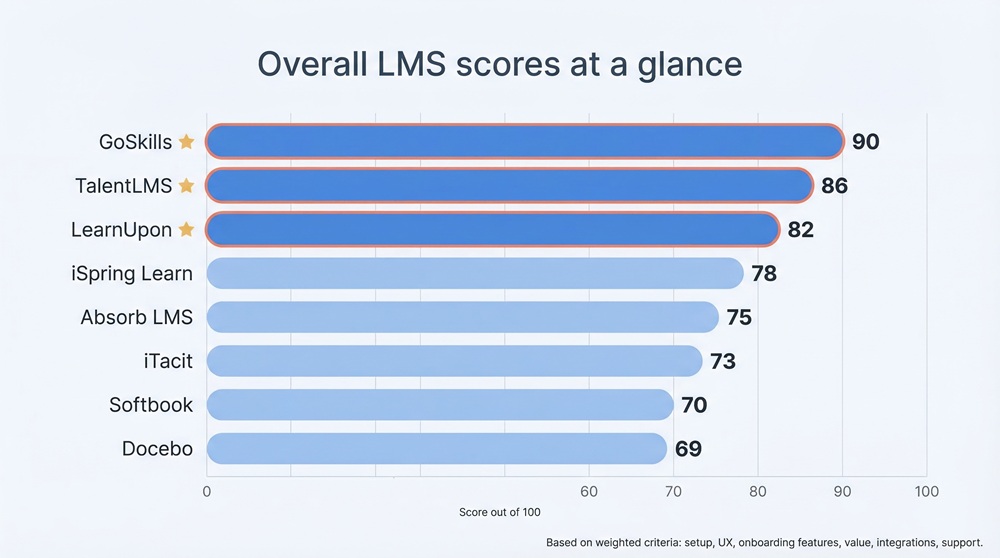
| LMS | Setup & deployment (25 %) | User experience (20 %) | Onboarding features (20 %) | Pricing / value (15 %) | Integrations / scale (10 %) | Support (10 %) | Overall* |
| GoSkills | 5 | 5 | 4 | 4 | 3 | 4 | 90 |
| TalentLMS | 4 | 4 | 5 | 4 | 4 | 4 | 86 |
| LearnUpon | 4 | 5 | 4 | 3 | 5 | 5 | 82 |
| iSpring Learn | 5 | 4 | 3 | 5 | 3 | 4 | 78 |
| Absorb LMS | 3 | 5 | 4 | 2 | 5 | 5 | 75 |
| iTacit | 4 | 4 | 3 | 3 | 2 | 4 | 73 |
| Softbook | 5 | 3 | 3 | 5 | 2 | 2 | 70 |
| Docebo | 3 | 4 | 5 | 3 | 5 | 3 | 69 |
*Overall score out of 100 after weighting each criterion.
Conclusion
First, speed still wins. GoSkills and iSpring earn perfect fives for setup, so if launch time tops your list, start there.
Second, user experience drives engagement. Absorb and LearnUpon match consumer-app polish, yet added cost or complexity lowers their final scores.
Finally, features alone do not seal the deal. Docebo boasts the richest AI toolkit, but its heavier admin lift trims its setup and value ratings, placing it last despite deep onboarding power.
Use the table to pick the two or three systems that best match your priorities. Up next, we will cover how to choose and roll out the final winner with minimal drama.
 Meta AI chatbots – what will come of introducing chatbot personalities?
 Enterprise Labeling: An Often Overlooked Way to Improve Your Bottom Line
 Scope 3 CO2 Reporting is in the Spotlight Again
 GCHQ challenges girls to save the UK from cyber-attacks and seeks new generation of female codebreakers
 Supply Chain Leaders Prioritize Working Capital Yet Deploy AI in Wrong Places to Achieve It, Research Reveals
 Prevent Senior Selects Infor Cloverleaf for Better Data Integration & to Enhance Agility & User Experience