

Ask five business owners how much does a POS system cost, and you’ll probably get five different answers. One will say they barely paid anything to get started.
Another will mention a monthly fee. Someone else will talk about a big upfront investment that hurt a bit at the time. They’re all right — just talking about different setups.
A POS system isn’t a single product anymore. It’s more like a toolkit. What you end up paying depends on how you run your business, what you need from the system, and how far you plan to grow.
A small shop with one counter will look very different from a restaurant, and both will differ from niche setups like those using dispensary POS systems, where extra compliance features come into play.
So instead of trying to pin it down to one number, it’s easier to understand what’s behind the price. Once you see how the cost of POS system is built, things stop feeling random.
Why POS Pricing Feels Confusing at First
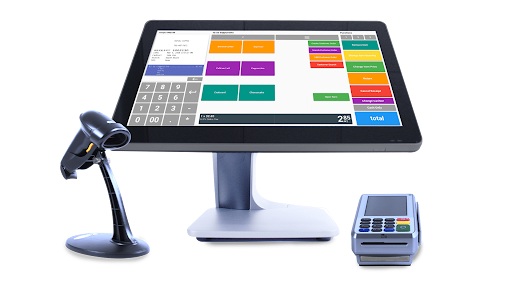
A lot of people expect POS pricing to be simple. Buy it once, use it, move on. That expectation usually disappears pretty quickly. Most modern systems do more than just take payments. They track what you sell, help you understand what’s working, and often connect with other tools you already use. The more you rely on those features, the more your setup grows. And the price grows with it.
Another thing that throws people off is how the costs are spread out. You’re not just paying once. There’s usually some money upfront and then regular charges after that.
You might buy hardware once and forget about it. But the software? That’s usually a monthly thing now. Then there are processing fees — small percentages that don’t look like much until you see them over a few months.
Two businesses can use the same POS provider and end up paying very different amounts. One keeps it simple. The other adds tools, extra devices, maybe better reporting. Same system, different reality. That’s why comparing prices without context doesn’t help much.
What Actually Affects the Cost
When you start breaking it down, a few things clearly have the biggest impact on what you’ll pay. First is the type of business. It shapes everything. A retail store cares about inventory. A café cares about speed. A restaurant might need table layouts and kitchen screens. Each of those adds something extra to the system.
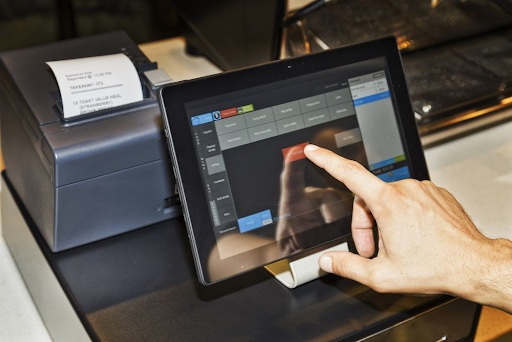
Hardware is another big one. You can go minimal — just a tablet and a card reader — or build out a full setup with printers, drawers, scanners, multiple stations. The difference in cost between those options is not small.
Then there’s the software side. Most providers don’t offer just one plan. There’s usually a basic version and then more advanced ones. At first, the basic plan might feel enough. Later, you realize you need more data, better tracking, or integrations — and that’s when the monthly cost starts creeping up.
Processing fees are easy to ignore at the beginning. But they matter. Even a small percentage adds up once you’re running steady sales. Over time, this becomes a real part of your cost of POS system, not just a detail. And then integrations. If your POS needs to connect with accounting, online sales, or anything else, that connection might not be included in the base price.
Different Ways POS Systems Are Priced
There’s no single pricing model across the industry. You’ll see a few patterns, and each one feels different depending on how you think about money. Some systems are sold upfront. You pay once, and that’s it. No monthly fee. Sounds great on paper. But over time, these systems can feel a bit rigid. Updates aren’t always included, and adding new features can be tricky.
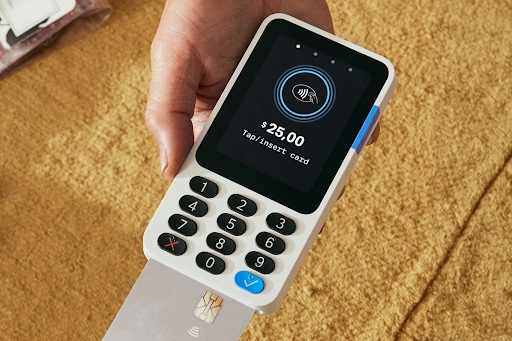
Most newer systems work on subscriptions. You pay monthly and get updates, support, and ongoing improvements. It’s easier to start this way because you don’t need a big upfront budget. Cloud-based systems usually follow this model too. They’ve become common because they’re flexible. You’re not tied to one device, and you can check your data from anywhere.
Free systems also exist. They can work, especially in the beginning. But there’s usually a catch — fewer features, limits, or higher fees somewhere else.
In reality, most businesses end up choosing one of these options:
- paying everything upfront
- paying monthly for flexibility
- paying based on transactions
- starting free and upgrading later
There’s no perfect choice. It depends on what feels more comfortable — spending more now or spreading it out over time.
What the Numbers Usually Look Like
Even though setups vary, most POS costs fall into a few categories. Once you see them laid out, it becomes easier to estimate your own situation.
| Cost Component | Typical Price Range |
| Hardware | $300 – $2,500+ |
| Software (monthly) | $0 – $300 |
| Payment processing | 1.5% – 3.5% per transaction |
| Installation/setup | $0 – $1,000 |
| Add-ons & integrations | $10 – $200/month |
For many businesses, the POS system cost per month is what they pay the most attention to. A small setup might stay under $50. A more advanced one can easily go over $100 or more. Upfront costs are less predictable. Some people start with a few hundred dollars and keep things simple. Others invest more right away to avoid changing systems later.
One thing becomes obvious pretty quickly: going for the cheapest option doesn’t always save money. If the system slows you down or lacks something important, you end up fixing it later — and paying more in the process.
Cost of POS System for Small Business vs Larger Operations
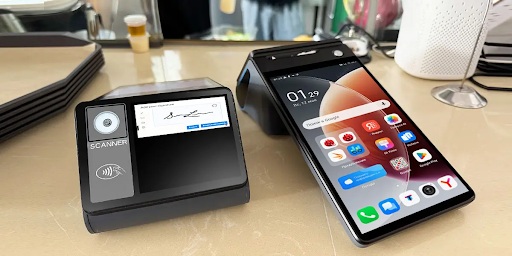
For a small business, the setup is usually pretty simple at the start. One counter, maybe one device, not too many moving parts. In that case, the cost of POS system for small business stays relatively low.
Most owners begin with something basic:
- one tablet or terminal
- a simple software plan
- standard payment processing
- maybe one extra feature if needed
That’s enough to run daily operations without overcomplicating things.
The difference shows up when the business grows. More sales, more staff, sometimes more locations. At that point, the system has to do more than just process payments. Larger businesses need better control. Inventory across locations, detailed reports, staff tracking, integrations with other tools. And once you start adding those, the price naturally goes up.
It’s not just about paying more per month. You’re adding more devices, more users, more data. Everything scales together. The key is balance. A small business doesn’t need an advanced system from day one. But choosing something too limited can slow things down later.
Costs That Usually Catch People Off Guard
There are a few costs that don’t seem important at first, but become noticeable over time. Transaction fees are the main one. You know they’re there, but you don’t really feel them until you’ve been processing payments for a while. Then you look back and realize how much they add up.
Hardware is another. Even if you start small, devices don’t last forever. Something breaks, something needs replacing, or you just need an extra terminal as things get busier. Then there’s software upgrades. A basic plan might work at the beginning, but later you realize you need more features. Better reports, integrations, maybe customer tracking. That usually means moving to a higher plan.
Training is easy to overlook too. If the system isn’t intuitive, you’ll spend time helping staff learn it. That’s not always a direct cost, but it still affects your time and workflow. All of these things are part of the real Point Of Sale system cost, even if they’re not obvious on day one.
What People in the Industry Actually Say
If you listen to people who work with POS systems every day, they don’t focus much on the base price. They talk more about how the system fits into the business. Amrita Ahuja, CFO of Block (Square), mentioned in a CNBC interview that tools like POS systems are no longer just about taking payments, but about helping businesses manage everything in one place.
That shift explains a lot. You’re not just paying for a checkout tool anymore. You’re paying for something that affects how you run your business day to day. So when looking at the cost of POS system, it’s not just about the monthly fee. It’s about whether the system actually makes things easier or not.
How to Choose Without Overpaying
It’s easy to get pulled into features you don’t really need. Most systems offer a lot. Some of it sounds useful, but in reality, you might never use it. At the same time, going too basic can create problems later.
A better way to approach it is simple: focus on what you actually need right now. Payments, basic tracking, maybe inventory. That’s enough for most businesses in the beginning.
Then think a bit ahead — what will you need in a few months? Not years, just the near future. That helps avoid switching systems too soon. Also, don’t look only at the monthly price. A cheaper plan with higher transaction fees can end up costing more than a slightly more expensive plan with better rates.
There’s no perfect setup. But the closer the system matches how you actually work, the less likely you are to overpay.
Final Thoughts
So, how much does a POS system cost? For most small businesses, it starts relatively low. A few hundred dollars upfront, plus manageable monthly costs. From there, it grows with the business.
What matters is understanding where the money goes. Once you see that — hardware, software, fees, extras — the whole thing becomes much easier to control.
A POS system isn’t just another expense. It’s something you’ll use every day. And if it fits your business well, it usually ends up being worth it.
FAQ
- What is a typical POS system cost per month?
For most businesses, monthly costs fall somewhere between $0 and $300. Smaller setups usually stay on the lower end, while businesses that need more features, users, or integrations move toward the higher end over time. - Can a POS system really be free?
Yes, some providers offer free plans. But they usually come with limits. Fewer features, restrictions, or higher transaction fees. Many businesses start there but eventually switch to paid plans as they grow. - What is included in the cost of POS system?
Usually, the base price covers the software and basic support. Hardware, transaction fees, and additional tools are often separate. That’s why the total cost can look different from the advertised price. - How much should I expect to spend on hardware?
A basic setup can cost a few hundred dollars. More advanced setups with multiple devices and accessories can go well beyond that. It really depends on how complex your operation is. - Is cloud POS cheaper than traditional systems?
Cloud systems are usually cheaper to start because there’s less upfront cost. But they come with ongoing monthly fees. Traditional systems may cost more at the beginning but have fewer recurring charges. - What is the cost of POS system for small business today?
Most small businesses can get started for a few hundred dollars upfront and around $30–$100 per month. The total increases if more features, devices, or integrations are added later.
 Mindtree Q3 Revenue crosses quarter billion dollar mark In USD terms, Revenue grows 2.1% q-o-q / 17.4% y-o-y
 DVSA Director of Enforcement Marian Kitson Named as Microlise Transport Conference Speaker
 Concerned About An Employee? Here’s What To Do
 Descartes launches mobile driver vehicle safety checks
 Manufacturing on Demand: How 3D Printing is changing the Industry
 Infobip & Spryker partner to help businesses deliver more personal shopping experiences