

Choosing software to automate purchasing documents looks straightforward until the shortlist forms and every vendor claims the same things.
An intelligent document processing platform can take a great deal of manual work off a purchasing team – but only if it fits the documents, systems and volumes that team actually works with.
The timing makes the choice more pressing. As e-invoicing requirements take hold across B2B transactions in Germany, the job of digitising incoming invoices and bringing order to purchasing processes has shifted from a long-term ambition to something with a date attached.
And a tool that impresses in a scripted demo can still come apart against the documents and systems a particular department handles every day.
The checklist below is meant to cut through the sales narrative. It is built around the questions that, in practice, separate a platform worth its place from one that becomes another system to manage.
1. Does the Intelligent Processing Platform handle every document, or just the easy ones?
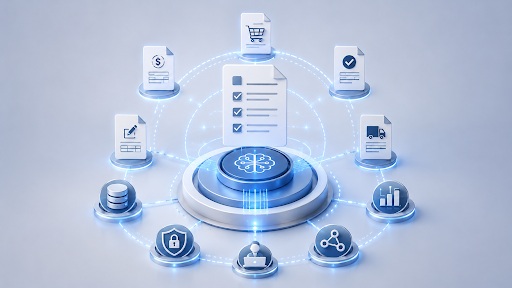
Invoices attract most of the attention, and plenty of tools handle them competently. But a purchasing department runs on far more than invoices. Order confirmations, delivery notes, quotations, purchase orders – the full purchase-to-pay cycle produces documents of every shape, and the ones that cause the most friction are rarely the tidy ones. A platform that automates invoice processing but leaves order confirmations to manual entry has solved only part of the problem, and the unsolved part is usually where errors quietly accumulate. A useful first step is to list every document type the team actually touches in a month and treat that list, rather than the vendor’s preferred examples, as the benchmark.
2. Where does the data actually end up?
Document capture is only half the task. Extracted data has to reach the systems where procurement work happens – the ERP, the finance ledger, the purchasing module – and it has to arrive there clean. A platform that reads an invoice flawlessly and then hands back a spreadsheet to re-key into SAP has not removed the manual work; it has simply moved it downstream. Native integration with the systems already in place, whether SAP, Microsoft Dynamics or another stack, is the line between genuine automation and a faster kind of data entry. It is worth asking to see precisely how a platform writes data back into those systems, because that demonstration tends to be far more revealing than the extraction itself.
3. What does it do when it isn’t sure?
No system reads every field correctly every time, and any vendor implying otherwise deserves a degree of scepticism. The real test is how an intelligent document processing platform behaves when it is uncertain. The better ones route low-confidence extractions to a person for a quick check as a built-in stage in the workflow – embedded within the ERP process itself rather than handled through a separate interface – and they learn from each correction so the same supplier’s quirks do not cause the same problem twice. Platforms like Netfira take this further by designing the human review step around a clear end goal: the progressive reduction of how often it is needed. The human is in the loop at exactly the right moments, making targeted decisions that feed directly back into the system, while the overall aim remains maximising the share of documents that pass through without anyone touching them at all. Failing quietly – passing an unverified figure straight into the ledger – is the outcome that costs the most to unpick later.
4. How much really runs untouched?
“Automated” is an elastic word, so it pays to press for numbers. What share of documents pass through end to end with no one touching them, and on which documents specifically? A ninety-percent rate on clean, standardised invoices is a very different claim from a ninety-percent rate across the messy reality of a live supplier base. The figure that means something is the one measured on documents like your own, ideally at an organisation of comparable size and sector. A headline statistic offered without that context should be treated as marketing rather than evidence.
5. Will the IDP platform bend without breaking?
Suppliers redesign their layouts. Volumes spike at quarter-end. New document types appear as the business grows or expands into new markets. A platform worth committing to absorbs these shifts without a reconfiguration project each time. The question to probe is what happens when something familiar changes – a long-standing supplier quietly alters its invoice format, for instance – because that is the precise moment rigid systems begin demanding manual help again, eroding the process optimisation that justified the investment in the first place. Automated document processing only pays off when it stays automated through change, not just on the day it goes live.
6. Does it respect where the data lives?
Purchasing documents carry commercially sensitive details and, frequently, personal data, so where and how that data is handled is not a footnote to skim past. Check where it is stored, how it is secured both in transit and at rest, and whether the platform meets the regulatory requirements that apply to the business and the regions it works in. For organisations moving data across borders, or operating specifically under German and EU data protection rules, this consideration alone can shorten a shortlist quickly – and it is far easier to weigh before a contract is signed than after.
7. What happens after go-live?
The capabilities matter, but so does everything around them. A credible implementation timeline, clear ownership of the configuration, and support that actually responds when something breaks all shape whether a platform delivers once the initial enthusiasm has worn off. For a team without technical resource of its own, the quality of that support can outweigh a marginal advantage in features elsewhere. It is the least glamorous item on the checklist and, more often than not, among the most decisive.
Putting the checklist to work
No platform is the right answer for every purchasing department, and the point of an exercise like this is not to crown a winner in the abstract. Providers that concentrate on IDP for procurement teams often map more naturally onto these questions than general-purpose document tools – but the checklist holds whatever the shortlist looks like. Its real value is to pull the conversation away from feature grids and toward the things that decide whether the automation survives contact with a Monday-morning inbox: which documents it covers, where the data ends up, how it handles doubt, how much genuinely runs on its own, and who answers the phone when it doesn’t. Run each candidate against those, honestly, and the right choice usually stops being a matter of opinion.
 Softeon Announces Strategic Partnership with FourPL to Elevate Supply Chain Capabilities Across Australia
 Quickly Register to Capture Early Bird Rate for Leading Construction Technology Conference – ELEVATE 2019
 Aerospike Q2 2021 Is Best Quarter in Company’s History
 45% of UK Companies Postponed Cybersecurity Initiatives for a Month or More to Focus on Remote Work Setup
 MMI Hotel Group Embraces Cloud-Based Infor Solutions to Streamline Growth
 How Ba Insight Streamlines Enterprise Search Solutions?