

A purchase request for a “Seagate 12TB HDD” may look complete until the supplier quotes it. The capacity is clear, but the actual model is not.
A 12TB drive could be intended for a NAS, surveillance system, or enterprise server, and those applications do not necessarily use the same Seagate series or interface.
That is why buyers sourcing Seagate storage in Dubai usually need to go one step beyond brand and capacity.
The exact series, part number, and target system can make the difference between the drive requested and a similar-looking model that was never meant for the job.
Specify the Drive, Not Just the Capacity
Consider an order for twenty 8TB Seagate hard drives. A supplier can understand the quantity and capacity, but that is not enough to identify the product.
Seagate sells drives for very different jobs. Barracuda is associated with general desktop storage, IronWolf and IronWolf Pro sit in the NAS range, SkyHawk products cover surveillance applications, and Exos belongs in enterprise storage. Several of those families may contain drives with the same nominal capacity.
This is why a business looking for a Seagate distributor in Dubai should be ready to provide more than a capacity figure. The target system, product family, interface, and preferably the exact part number make the request much clearer.
This is especially useful when checking availability. Instead of asking whether “Seagate 8TB” is in stock, the buyer and supplier are discussing one identifiable product.
Know Where the Drive Is Going
The machine tells you a lot about the drive you should be sourcing.
A storage upgrade for an office workstation does not need to be approached the same way as an NVR recording footage throughout the day. A NAS shared across a team introduces another set of requirements, while a server may depend on a specific enterprise interface and existing hardware configuration.
You don’t need to turn every purchase into a long comparison of the Seagate catalog. The product families help narrow the field.
BarraCuda will appear more often in desktop and general storage discussions. A NAS project points buyers toward IronWolf or IronWolf Pro. SkyHawk and SkyHawk AI belong in surveillance conversations, while Exos becomes relevant for servers and enterprise systems.
Once you know the system, the search gets much easier.
Check the Part Number
Part numbers are particularly useful in storage procurement because product descriptions can be surprisingly vague.
“Seagate 8TB SATA HDD” is better than “Seagate hard drive,” but it may still describe more than one possible product. Add the exact Seagate part number and the ambiguity drops considerably.
This is valuable for new installations, but it becomes even more important during replacements and expansions.
Suppose an IT team is adding drives to an existing NAS. They may want the new units to match a model already installed. A CCTV contractor replacing a failed drive may have similar reasons for requesting the same part number. In a server environment, the interface or model family may make an apparently similar replacement unsuitable.
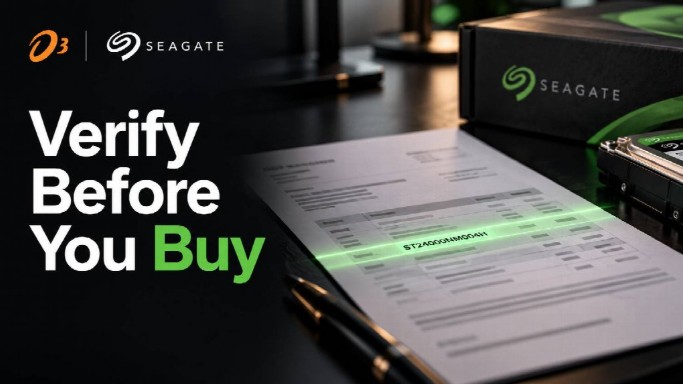
Procurement teams should therefore keep the full model reference in quotations, purchase orders, and internal records whenever possible.
It also makes comparing supplier quotations easier. Two quotes may both say “12TB Seagate,” yet refer to different drives.
SATA or SAS?
Interface mistakes are not difficult to make when an order is based mainly on brand and capacity.
SATA is common across many desktop, NAS, surveillance, and enterprise storage products. SAS is normally associated with compatible enterprise hardware and should not be treated as a substitute simply because a SAS model has the required capacity.
On a replacement job, the old drive is often the most useful reference. Its label can show the model and interface, while the server documentation can confirm what the controller and backplane support.
This becomes important with Exos because drives at similar capacities may be sold under different SATA and SAS part numbers. The capacity can match perfectly while the interface does not.
For a new server project, settle the interface before sending the purchase request. For a replacement, the old drive and system documentation are usually the most useful references.
Capacity Is Only Part of the Order
Storage capacity tends to dominate quotations because it is the easiest specification to compare.
A quote for several 16TB drives may look correct at first glance. The problem is that “16TB” says nothing about the job those drives are expected to perform.
Are they going into a NAS? A surveillance recorder? A storage server? Are they expanding an existing array? Do they need to match drives already installed?
RPM may also differ between exact models. Seagate product lines include drives operating at different spindle speeds, so assuming every drive in a family has identical specifications is risky.
The same applies to other model-level details. The series name helps identify the general application, but the exact part number confirms what you’re actually buying.
Stock and Availability Matter
Finding the correct model and finding that model in the required quantity are two separate problems.
The issue becomes more noticeable when a project needs a batch of identical drives. If sixteen units are going into the same installation, finding six now and ten later may not work for the deployment schedule. The buyer may need to confirm that the requested part number is available in the required quantity before the order moves forward.
Repeat purchases raise a similar question. If the next shipment must match drives already installed, availability needs to be checked at the model level rather than by capacity alone.
Availability should therefore be discussed at model level.
A useful quotation should make clear which part number is being supplied, how many units are being quoted, and whether the item is the requested drive or an alternative.
Lead time may also matter, particularly when the requirement is tied to a deployment schedule. Buyers do not need to assume that a model listed in a catalog is immediately available in the required quantity.
Ask first.
Watch for Substitutions
A substitution is not necessarily a problem.
Imagine that the requested Seagate HDD is unavailable and the supplier proposes another model with the same capacity. That alternative may be perfectly suitable. It may even be a better fit for the project.
But matching capacity alone is not enough to approve it.
Check the replacement against the original requirement. Does it belong to the appropriate product family? Does the system support its interface? Is the RPM acceptable for the intended configuration? Will it work with the hardware already installed?
The exact part number makes this review far easier.
This is particularly important when several people are involved in a purchase. The person requesting the storage may understand the technical requirement, while procurement sees only an item description and a price. A clearly documented model prevents information from being lost between those steps.
Warranty Still Needs Checking
Warranty terms are easy to overlook until a problem arises.
Business buyers should confirm the warranty arrangement for the exact drive being quoted and the channel through which it is being purchased. Different products and sales arrangements may not necessarily be handled in the same way.
That conversation is better held before the order is approved.
For a project involving multiple drives, procurement may want to know what documentation is supplied, how warranty claims are handled, and which product identification is required if a drive later needs support.
Making assumptions based only on the brand name or product family adds little value.
Buying for a Larger Project
The larger the order, the more useful a proper specification becomes.
A system integrator building surveillance installations, for example, may need both a fixed model and a rule for acceptable alternatives. An IT department expanding a NAS might insist on one particular part number. A server project could require a specific capacity and interface but allow more than one approved model.
Those requirements should appear in the purchase request rather than being discussed after quotations arrive.
A straightforward specification might contain:
- Seagate series or approved series
- exact part number, when required
- capacity
- SATA or SAS
- quantity
- target system or application
- whether substitutions are allowed
- any requirement to match existing drives
This does not make procurement more complicated. It prevents the same technical questions from being reopened after the order is already moving through purchasing.
Repeat orders benefit from the same discipline. If the first shipment was correct, keeping the part number on record makes the next request much clearer.
Do You Need to Match Existing Drives?
Not every storage purchase starts from scratch.
Many orders in Dubai are for systems already in service: an NVR needs more retention capacity, a NAS is being expanded, or an enterprise storage system needs replacement drives.
In those cases, the existing hardware is part of the specification.
Check the drives already installed before accepting a quote. Record the model number, interface, capacity, and any requirements imposed by the system manufacturer or storage configuration.
Sometimes a different model works perfectly well, but that should be a technical decision, not an accidental result of whatever happens to be available.
A photograph of the existing drive label or a record from the system inventory can also help the technical and procurement teams discuss the same product.
Before You Request a Quote
A useful RFQ does not need to be long. A few lines covering the target hardware, capacity, interface, quantity, and requested part number are usually more useful than a generic description such as “Seagate HDD.”
Add any restrictions on substitutions or compatibility with existing drives, and the supplier has enough context to quote the right product rather than guess from capacity alone.
For a simple desktop purchase, that may be all the information required. A larger server, NAS, or surveillance project will usually need more detail because the cost of ordering the wrong model rises with the number of drives involved.
Make the Quote Easy to Verify
A good storage purchase should be easy to check before money changes hands.
The brand, capacity, and price are only part of that check. The quote should also let you identify the exact model being supplied and compare it with the system requirement.
That is especially useful when buying Seagate hard drives in the UAE for a project involving NAS, surveillance, or enterprise storage. Once quantities increase, a vague description can turn a small misunderstanding into a much larger purchasing error.
Good procurement leaves little room for interpretation. If the quotation shows the exact drive that was requested—or clearly identifies an approved alternative—the technical and purchasing teams can review the same product.
That is a much better place to compare price and availability than a quote built around nothing more specific than brand and capacity.
 The Steps to Take After a Delivery Truck Crash & When to Call a Lawyer
 Rising Black Friday scams
 The importance of lean manufacturing in the post-covid-19 world
 6 Best Companies for Hiring VLSI Design Engineers
 Iptor teams up with IBM to deliver services and cloud offerings
 The government continues to see tech firms that invest in AI & R&D as key levers for growth