

Modern logistics hubs operate at an incredibly fast pace, demanding constant attention from every team member.
Workers spend hours tracking shipments and managing digital inventories on glowing monitors. This continuous tech interaction introduces physical challenges that require careful management.
Maintaining physical comfort allows fulfillment networks to remain efficient throughout the day.
Minor changes in daily routines can help teams stay focused without feeling drained. Protecting worker health keeps supply chains moving smoothly.
The Digital Shift in Supply Chain Operations
Logistics management relies heavily on software systems to coordinate deliveries and track fleet movements. Operations desks use multiple monitors to keep up with incoming data streams. This constant activity keeps the supply chain flowing without manual delays.
Staff members monitor inventory levels and update shipping schedules across multiple platforms simultaneously. Prolonged focus on terminal screens can lead to physical discomfort over a long shift. Finding ways to balance technology use with physical comfort is becoming a priority for managers.
Safety protocols must address physical surroundings and digital environments to protect everyone. According to a workplace safety brief, freight handlers and transport operators count on sharp sight and clear hearing to remain safe on the job. Addressing daily physical strain helps prevent accidents across the facility.

Understanding the Strain on Logistics Personnel
Extended periods in front of terminals can lead to tired eyes and blurry vision. Workers often ignore these subtle warning signs during a hectic shift. Ignoring discomfort can eventually lead to reduced efficiency and comfort.
Management needs to monitor how glowing monitors affect warehouse coordinators. Investing in premium options like blue light filtering eyewear helps mitigate these daily problems before they disrupt schedules. Protecting team members helps maintain operational speeds during busy shifts.
Office environments often have bright overhead lights that compound the glare from monitors. Combining these lighting elements creates an uncomfortable workspace for computer operators. Simple adaptations can turn a harsh workstation into a much more comfortable space.
Simple Adjustments to Daily Screen Habits
Small behavior shifts can make a noticeable difference in how a person feels after work. Taking brief breaks allows the eyes to rest from the intense glare of warehouse terminals. Setting regular intervals for breaks helps establish healthy routines.
Workers can practice specific viewing techniques to ease focal strain throughout the day. An eye care publication suggests looking at an object 20 feet away for 20 seconds every 20 minutes to relax eye muscles. Incorporating this simple pattern keeps team members comfortable during long duties.
Implementing a few clear strategies can improve the daily routine for terminal operators:
- Adjusting monitor brightness to match ambient room lighting helps reduce glare.
- Conscious blinking habits prevent dryness when tracking live shipments.
- Placing documentation at an even viewing distance minimizes repetitive neck movements.
Workplace Adjustments for Better Visual Comfort
Positioning hardware correctly can eliminate a lot of unnecessary strain on the body. Monitors should sit about an arm’s length away from the user’s face. The top of the screen should remain at or slightly below eye level.
This specific angle prevents workers from craning their necks or straining their eyes. Adjusting the tilt of the display reduces reflections from overhead warehouse fixtures. Small physical shifts can create a more ergonomic workspace for everyone.
Using matte screen protectors helps block harsh light bounces from nearby windows. Text size can be increased to make scanning manifests easier on the eyes. These modifications help staff complete tasks with less physical fatigue.
The Economic Impact of Vision Wellness
Physical fatigue can affect how quickly and accurately staff members process orders. When eye fatigue sets in, data entry errors can increase during critical shipping windows. Addressing comfort directly helps keep productivity steady across the organization.
Data from a vision benefits provider indicates that 27% of workers have missed shifts from ocular discomfort caused by computers. This absenteeism can disrupt warehouse workflows and cause unexpected staffing shortages. Businesses that support eye health can avoid these operational speed bumps.
Providing resources for eye comfort shows a commitment to team safety and wellness. Staff members feel supported when their daily challenges are recognized and managed. A comfortable workforce is more stable and experiences fewer disruptions.
Practical Management Strategies for Teams
Managers can lead the way by introducing wellness concepts during shift huddles. Discussing screen fatigue helps raise awareness among team members who work at terminals. Sharing simple tips encourages everyone to take care of their vision.
Scheduling regular intervals for shifting tasks can give workers a break from monitors. Alternating computer tasks with physical inventory checks keeps the day varied. This variety helps reduce continuous exposure to digital displays.
Upgrading facility fixtures can soften the glare in office areas. Soft lighting choices reduce contrast between screens and surrounding dark areas. Creating a balanced optical environment supports long-term comfort for operators.

Prioritizing ocular health in logistics helps maintain consistent operational speeds and worker satisfaction. Addressing screen fatigue through simple habit adjustments and hardware changes keeps supply chains moving safely.
Supporting team members with practical tools prevents daily discomfort from slowing down fulfillment tasks. A proactive approach to workplace wellness keeps logistics teams focused and efficient every single day.
 Using smart software for intelligent production & intralogistics
 iDTRONIC adds new UHF Variation to its Android Handheld C4 Red Family
 Ancoris announces Andre Azevedo as new CEO
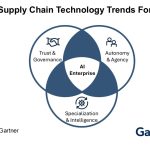 Gartner Identifies Top Supply Chain Technology Trends for 2026
 The five key pillars of business resilience that will keep organisations running
 Gerber Plumbing Fixtures LLC Selects 3Gtms Transportation Management System