

If you run content for a B2B brand, you know the bottleneck. The explainer video is edited. The podcast episode is mixed.
The trade show recap is ready. Then everything stalls because nobody can find the right background music.
Commissioning a composer can take weeks. Searching stock libraries can eat an afternoon.
AI-generated music tools can help fill that gap for everyday content when you use a light workflow, clear licensing checks, and a few team guardrails.
What AI-Made Music Can Do for a Content Team
Everyday B2B use cases
Think about the audio your team touches in a typical quarter: product demo walkthroughs, short explainer clips for social, trade show recaps, safety and compliance training modules, corporate podcast intros, and webinar bumper music. Most of these projects do not need a custom score. They need clean, on-brand background tracks that support the message without distracting from it. The same planning also helps when webinars or long demos are turned into short marketing clips for sales and social channels.
AI music tools are a practical fit for these situations. They can generate short cues, loops, and transitions without waiting on a vendor or sorting through hundreds of stock options.
Why teams adopt it
Speed is the obvious draw. You can move from a rough idea to a usable draft track in minutes rather than days. The deeper value shows up at scale. Need five mood variations of the same cue for a product video test? You can generate them in one session and compare the results quickly.
Many AI music tools also let teams export full mixes and individual stems, such as drums, bass, and melody. Stems make it easier to lower music under voiceover or remove one layer without rebuilding the whole track.
Set guardrails early
Before anyone on your team generates a track, set a few ground rules. Draft a short internal policy that covers acceptable genres and moods for your brand, how tracks should be credited if required, and when to escalate to legal or a composer. This does not need to be complicated. A half-page document in your team wiki is enough. The goal is to prevent surprises, not slow people down. When the same review process covers sound, visuals, and campaign approvals, include media detection checks so reviewers know when authenticity concerns should be escalated.
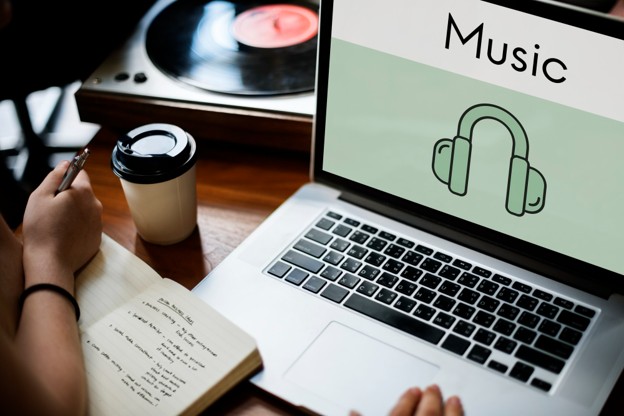
Build Your AI Music Workflow
Prep a one-page music brief
A brief keeps everyone aligned and reduces revision cycles. Cover these basics in a shared doc or template:
- Audience and use case, including who will hear the track and where it will appear.
- Instruments to favor or avoid.
- Target tempo range, such as 90 to 110 BPM for a calm explainer.
- Three to five mood words, such as steady, warm, or optimistic.
- Track length and whether you need a loop, a full arrangement, or both.
- Whether the voiceover will sit on top of the music.
Writing these details down before you open a tool cuts wasted generation time and gives reviewers a shared reference point.
Use prompt patterns that work
Most AI music platforms accept a short text prompt. Build yours by stacking clear details: style, mood, tempo, instruments, energy arc, duration, and a few reference adjectives.
Corporate explainer: Upbeat acoustic pop, optimistic mood, 110 BPM, light piano and soft drums, 60 seconds, clean and modern.
Safety training intro: Calm ambient electronic, focused mood, 80 BPM, soft synth pads, subtle percussion, 30 seconds, professional tone.
Trade show recap: Energetic indie rock, confident mood, 120 BPM, electric guitar and driving drums, 90 seconds, bold and crisp.
The pattern matters. A vague request gives the tool little to work with. A prompt with tempo, mood, instruments, and duration gives it a clearer target.
Generate and version tracks
Once your prompt is set, generate at least three to five takes. Change one variable at a time, such as moving the mood from optimistic to reflective or reducing the tempo by 15 BPM. That makes versions easier to compare. Export the full mix and individual stems when the platform supports it.
Use the first round as a scratchpad, not a final pick. Note which versions match the brief, which fight the voiceover, and which need a slower tempo or softer percussion. If you want to prototype soundtrack options quickly, you can compare your prompt results with an AI composition tool like AI Music Generator to create genre- and mood-aligned tracks and stems. Review the licensing terms against your project needs before selecting a final track.
Use a consistent file-naming convention that includes project name, version number, mood, and BPM. This helps your team find and reuse tracks without guesswork.
Edit and mix efficiently
You do not need a professional audio engineer for most B2B content. A few simple steps go a long way:
- Trim the track to fit your video or podcast segment length.
- Add a short crossfade at the beginning and end to avoid abrupt cuts.
- Set loudness targets before exporting and confirm current platform recommendations before publishing.
- If voiceover is present, use sidechain compression or simple volume automation.
- Do a final listen at low volume on laptop speakers to confirm the voiceover is clear.
Rights, Licensing, and Governance
This section offers general guidance, not legal advice. Always confirm details with your own legal team.
Ownership vs. licensing
In the U.S., material generated entirely by AI without sufficient human authorship generally cannot be copyrighted. Human-authored selection, arrangement, or editing may still be protectable, but the rules are evolving.
License scope for AI-generated music is platform-specific. Terms may differ for commercial, advertising, or broadcast use. Teams should confirm permitted uses before publishing.
Run risk checks before publishing
Platforms can issue Content ID or similar automated claims even on original or AI-made tracks. To protect your team:
- Keep proof of your license, such as a receipt, screenshot of the terms, or export confirmation.
- Store license documents alongside the project files.
- Know the dispute process for each platform you publish on, including YouTube, TikTok, Instagram, and podcast hosts.
Some paid advertising channels have creative and rights requirements beyond organic posts. Confirm that the selected music license covers paid placements if you plan to run ads.
Create a simple team policy
A central repository for license receipts, cue sheets, and project files reduces takedown risk and speeds response to platform disputes. Your policy should answer four questions: Who approves final music? Where do license documents live? What is the response plan for a claim? When is a composer or stock library the safer route?
When to Pick Stock, AI, or a Human Composer
Quick decision guide
Use AI-generated music when you need speed, easy variations, and simple background cues. Stock libraries are useful when you want pre-cleared tracks under standard licenses. A human composer is the right call for brand theme music, high-stakes campaigns, and complex arrangements.
Each option has tradeoffs. Stock libraries provide ready-made tracks. AI tools can create variations quickly. Composers provide bespoke music and negotiated rights. Match the choice to the project, not the novelty of the tool.
Budget and timeline signals
Use the simplest option that meets the need. Tight deadline and low budget? AI or stock may work. Need a unique sonic identity for a rebrand? Consider a composer. Running paid ads on Meta or Google? Double-check that your license covers paid placements before you go live.
Proving Value Without Hype
Time-to-first-cut and revision cycles
Track two numbers each week: how long it takes to deliver a first music draft after the brief is approved, and how many revision rounds each track needs. These numbers show whether the workflow is saving time compared to your old process.
Quality signals
Speed means little if the music hurts the content. Watch for voiceover clarity, mood fit, brand consistency, and viewer drop-off around music transitions. If people leave when a jarring track begins, adjust the selection or the mix.
Implementation Checklist
- Create a one-page audio brief template and brand sound palette.
- Draft three reusable prompt shells your team can adapt.
- Define approval rules and store license receipts in one place.
- Build a naming convention for versions and stems.
- Set loudness targets and a 60-second QA listening routine.
- Log what you publish and note any Content ID activity.
Conclusion
You do not need a recording studio to keep routine content moving. A light workflow, a simple brief, reusable prompts, and clear licensing rules can help your team produce on-brand audio faster and with less risk. Start with one upcoming video, podcast episode, or training module, then refine the process based on what your team learns.
FAQ
Can I use AI-made music in client work?
It depends on the platform license. Some tools allow commercial use on paid plans, while others restrict it. Read the specific terms before delivery and keep a copy on file.
How do I avoid music overpowering voiceover?
Lower the music during spoken sections with volume automation or sidechain compression. Then listen at low volume on laptop speakers. If every word is clear, the balance is close.
What if a platform flags my audio?
Keep your license receipt and proof of generation handy. Most platforms have a dispute process where you can submit documentation. Respond promptly and follow the platform steps.
When should I hire a composer instead?
Consider a composer when you need a unique brand theme, a complex arrangement, or music for a high-stakes campaign where originality and exclusivity matter.
 5 things shaking up business travel & how to prepare
 Unlocking the Value in Data – The Science of Visualisation
 Tecsys SaaS Bookings Grow 4x as Supply Chain Markets Embrace Cloud
 Manhattan Associates Announces Latest Enhancements for Retailers
 Delmar International Inc. Deploys Tecsys Software to Improve 3PL Warehouse Operations and Value-added Services
 Managing Workplace Transport Risk in Warehouses and Manufacturing Sites