

You sign off the budget, the contract goes out, and a design partner starts next month. The part that stays fuzzy for a lot of buyers is what actually lands on their desk at the end, and how much it will change the product people use every day.
This piece walks through what an enterprise engagement gives a corporate buyer, how the work runs, and the places where expectations are worth keeping honest.
The point of bringing in professional ux/ui design services for a business tool is rarely a quick visual refresh. It is a usable system that holds up across roles, releases, and years of real use.
What Actually Gets Delivered
Enterprise design work produces tangible artifacts the team can act on. By the end of an engagement, a buyer should hold a clear set of outputs that the product and engineering teams can build from.
Common deliverables include:
- Research findings that document who the users are, the jobs they do, and where the current tool slows them down.
- Information architecture and user flows that map how people move through the product and where decisions happen.
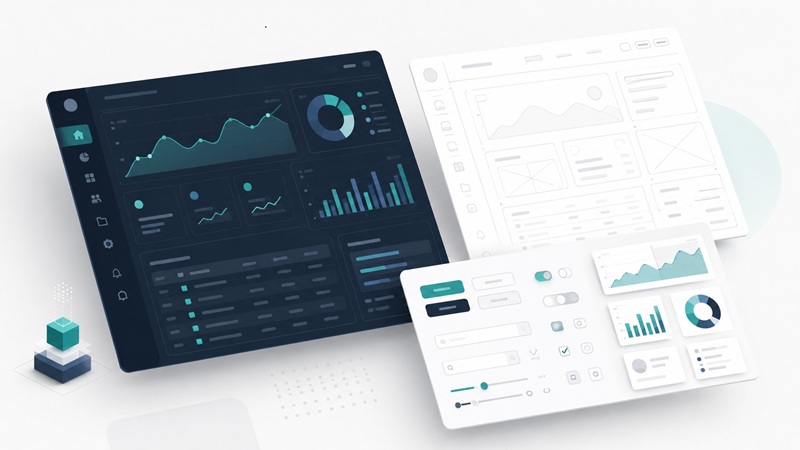
- High-fidelity UI for the screens that matter most, designed to handle real data at full volume.
- An interactive prototype the team can click through and test before a line of code gets written.
- A design system with reusable components and the rules for using them, so the product stays consistent as it grows.
- Developer-ready handoff with annotated specs, plus design QA once the build is underway.
The mix changes by project. A net-new internal tool leans on research and architecture. A redesign of a live platform puts more weight on the design system and QA. A good partner tells you which outputs matter most for your case before the work starts.
How an Enterprise Engagement Runs
The work moves through four broad stages. Each one builds on the last, and each gives the buyer something concrete to review before the next begins.
| Stage | What happens | What you get |
| Discovery | Interviews with stakeholders and the people who actually use the tool, plus a look at existing data and systems | A shared picture of goals, constraints, and real workflows |
| Structure | Information architecture, navigation, and user flows agreed before any visual design | Low-fidelity flows and a permission model that matches how teams work |
| Design and testing | High-fidelity screens, an interactive prototype, and rounds of feedback from real users | Validated designs and a documented design system |
| Handoff | Annotated specs delivered to engineering, with design QA on the live build | A coded product that matches the approved work |
The early stages matter more than buyers expect. Agreeing how dozens of roles move through a system, and which data each one needs, is the hard part. Screens come later, and they come faster once that groundwork is settled.
Why Enterprise Is a Different Job
Designing a tool people use at work for hours a day brings pressures a consumer app never faces. A buyer who knows these pressures going in sets more realistic expectations.
Data sits at the center. Enterprise screens carry dense tables, dashboards, and reports that have to stay readable for someone making a real decision under time pressure. Designing around true data, with all its edge cases, is where specialist teams show their experience.
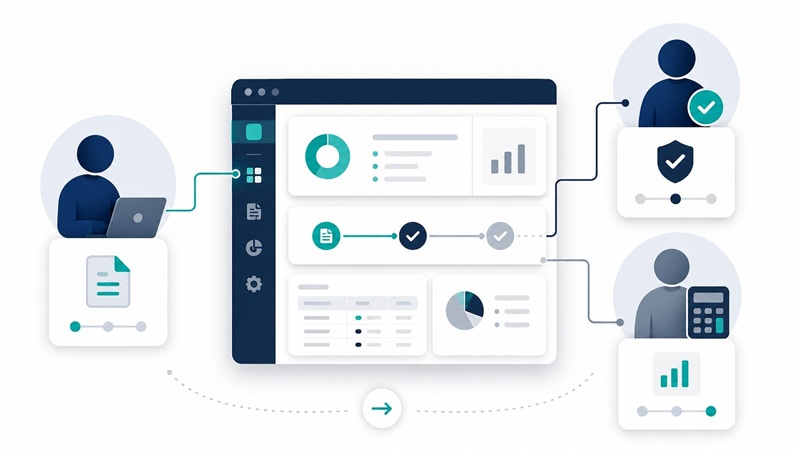
Roles multiply. An IT admin, an HR lead, and a finance manager each see different functions, permissions, and priorities inside the same product. The design has to account for every one of them.
The buyer and the user are frequently different people. The person signing the contract may never touch the daily workflow, so a partner has to design for the people doing that work every day, including the parts that never surface in a sales demo.
Compliance, accessibility, and security get built in from the first stage. And many engagements involve modernizing an older tool without breaking the habits of people who have relied on it for years. Get that wrong and adoption stalls.
What You Should Not Expect
Setting expectations honestly saves a lot of friction later. A few things good design work will not do:
- Repaint the product overnight. A reskin that ignores structure tends to recreate the same problems in nicer colors.
- Fix product-market fit. Design makes a sound product easier to use. It cannot rescue one that solves the wrong problem.
- Confirm what you already believe. Research regularly contradicts internal assumptions. That is the value, even when it stings.
- Show results in the first week. Adoption, support load, and retention move over release cycles, not days.
- Cover branding and marketing. Most engagements stop at the product. Logo systems and campaigns usually sit with a separate team.
A partner who names these limits up front is easier to trust than one who promises everything.
Signs the Investment Is Working
You won’t need a dashboard to see if the work paid off. The signals show up in how the team operates and what users stop complaining about.
Watch for these:
- Support tickets drop for repeat questions, like where a setting lives or how to export a report.
- New features ship faster because the team assembles them from existing components.
- New users reach their first real task without a training call.
- Internal debates get settled by user evidence, not by whoever argues hardest.
Any one of these on its own is a good sign. Several together usually mean the structure underneath the product got healthier, which is where the lasting payoff comes from.
Setting Expectations Before You Start
The buyers who get the most from a design partner are the ones who walk in knowing what the work covers and what it doesn’t. Clear deliverables, an honest read on timelines, and agreement on which roles and data matter most set up an engagement to succeed. That clarity is what we aim for at Neuronux before a project begins, so the work that follows starts from real agreement, not from assumptions.
 New software launched to help drive expansion for Progrex
 Mastering Motion Control: Exploring the Impact of FSLF120 Actuators in Automated Systems
 Business continuity and disaster recovery in 2019
 Working smarter in 2019: Five top trends for the physical security sector
 SALESmanago hires C-Level Exec team to drive fourfold growth across Europe
 Manhattan Exchange 2018